
Top Resume Templates for Instant Approval
Your resume is often your first impression. Before a hiring manager speaks to you, your resume decides whether you move forward or get silently rejected. The problem is most people still use outdated formats, cluttered layouts, or plain documents that are hard to scan. In today’s world where recruiters spend only a few seconds on each resume, using the right resume template can dramatically increase your chances of getting shortlisted.

In this guide, we’ll walk through the best types of resume templates for instant approval, what recruiters actually look for, and how to customize templates quickly without overthinking the design. Whether you are a fresher, experienced professional, freelancer, or someone switching careers, the right template can make your resume look modern, clean, and easy to read.
What Makes a Resume Template “Instant Approval” Ready?
There’s no magic template that guarantees a job, but some formats are proven to perform better because they are recruiter-friendly and ATS-friendly (Applicant Tracking System compatible). When choosing a resume template, make sure it has these qualities:
- Clear structure: Sections like Summary, Experience, Skills, and Education are easy to find.
- Simple fonts: Clean typography that doesn’t look like a design experiment.
- Good spacing: Enough white space so the content doesn’t feel cramped.
- Bullet-focused: Uses bullet points instead of long paragraphs.
- ATS-friendly layout: No complex tables or unusual columns that confuse resume scanners.
Types of Resume Templates That Work Best
1. Classic Single-Column Resume
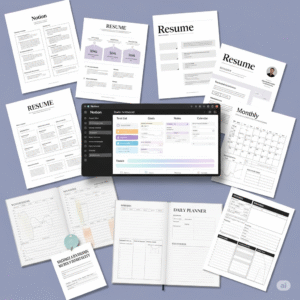
This is the safest and most universal resume style. A single-column layout with clear headings works perfectly for both ATS systems and human readers. It’s ideal for corporate roles, fresher positions, and traditional industries like finance, government, and education.
2. Two-Column Modern Resume
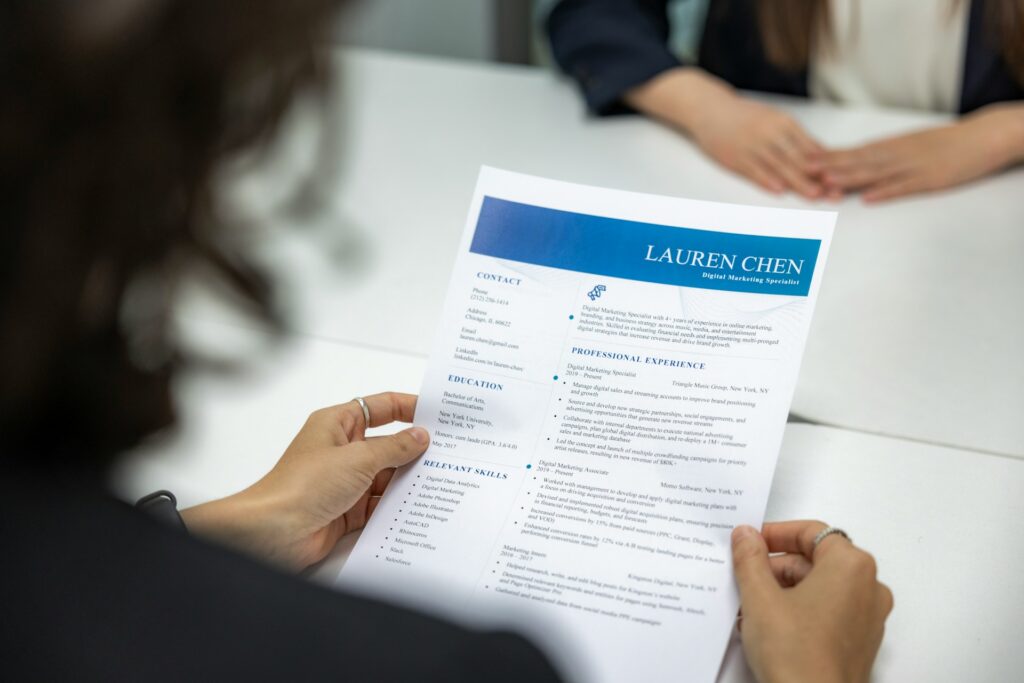
In this format, your main experience and achievements are on one side while your contact details, skills, and extras like languages or certifications sit in a narrower side column. It looks modern and saves space, making it a popular choice for tech, marketing, and creative roles.
3. Minimalist Resume Template
Minimalist resumes use subtle lines, light section dividers, and lots of white space. These are perfect if you want your content to stand out without heavy design elements. They’re especially useful when applying to international companies where clean design is preferred.
4. Creative Resume Templates (Use Carefully)
Creative templates may include icons, colored sections, or timeline layouts. These can work well for designers, content creators, and marketing professionals. However, they are not always ATS-friendly. If you use one, keep a simple text-based version ready for online applications.
Where to Find the Best Resume Templates
- Canva: Offers free and premium resume templates that are easy to customize with drag-and-drop tools.
- Google Docs: Simple, clean templates that are easy to edit and share.
- Microsoft Word: Classic templates suitable for corporate job applications.
- Notion: Great for building a living resume or portfolio-style profile.
- Specialized resume sites: Some platforms provide templates tested with recruiters and ATS systems.
How to Customize a Resume Template the Right Way
A common mistake is downloading a beautiful template and then filling it with generic content. A strong resume template must be paired with well-written achievements. Here’s a simple step-by-step approach:
- Step 1: Start with a strong summary. In 2–3 lines, describe who you are, your experience level, and what you’re good at.
- Step 2: Focus on bullet points. For each job, list your top 4–6 achievements, not responsibilities.
- Step 3: Use numbers where possible. For example: “Improved response time by 35%” or “Handled 50+ customer queries per day.”
- Step 4: Keep skills relevant. Don’t list every software or skill you’ve ever used. Focus on what the job description asks for.
- Step 5: Check formatting consistency. Same font sizes, bullet styles, date formats, and heading styles throughout.
Optimizing Your Resume for ATS (Applicant Tracking Systems)
Many companies use software to scan resumes before a human even sees them. To avoid automatic rejection, follow these ATS-friendly tips:
- Use standard section titles like Experience, Skills, Education, and Projects.
- Avoid placing text inside images or complicated tables.
- Export your resume as a PDF unless the job post specifies another format.
- Include relevant keywords from the job description naturally in your bullet points.
- Use a common font like Arial, Calibri, Lato, or Times New Roman.
Common Resume Mistakes That Get Instant Rejections
- Using a generic objective like “To work in a challenging environment…” instead of a focused summary.
- Typos or grammatical errors in the first few lines.
- Too many design elements that distract from the content.
- Including irrelevant details like full address, age, or personal photos (unless required).
- Sending the same resume to every job without tailoring it.
Simple Layout Checklist Before You Hit Send
- Is your name and contact information clearly visible at the top?
- Does the resume fit comfortably on one or two pages?
- Are section headings easy to scan?
- Are your most recent roles and key achievements placed higher?
- Is there enough white space so the resume doesn’t look crowded?
Conclusion
The right resume template won’t guarantee a job, but it will dramatically increase your chances of getting noticed. A clean, modern, well-structured template helps recruiters understand your value quickly. Combine it with strong, quantified achievements and you’ll stand out in a stack of generic resumes. Start by choosing a simple, professional template, customize it thoughtfully, and keep improving it as you gain more experience. Your resume is a living document—treat it like your personal marketing brochure.